What the rupee symbol looks like and what it means
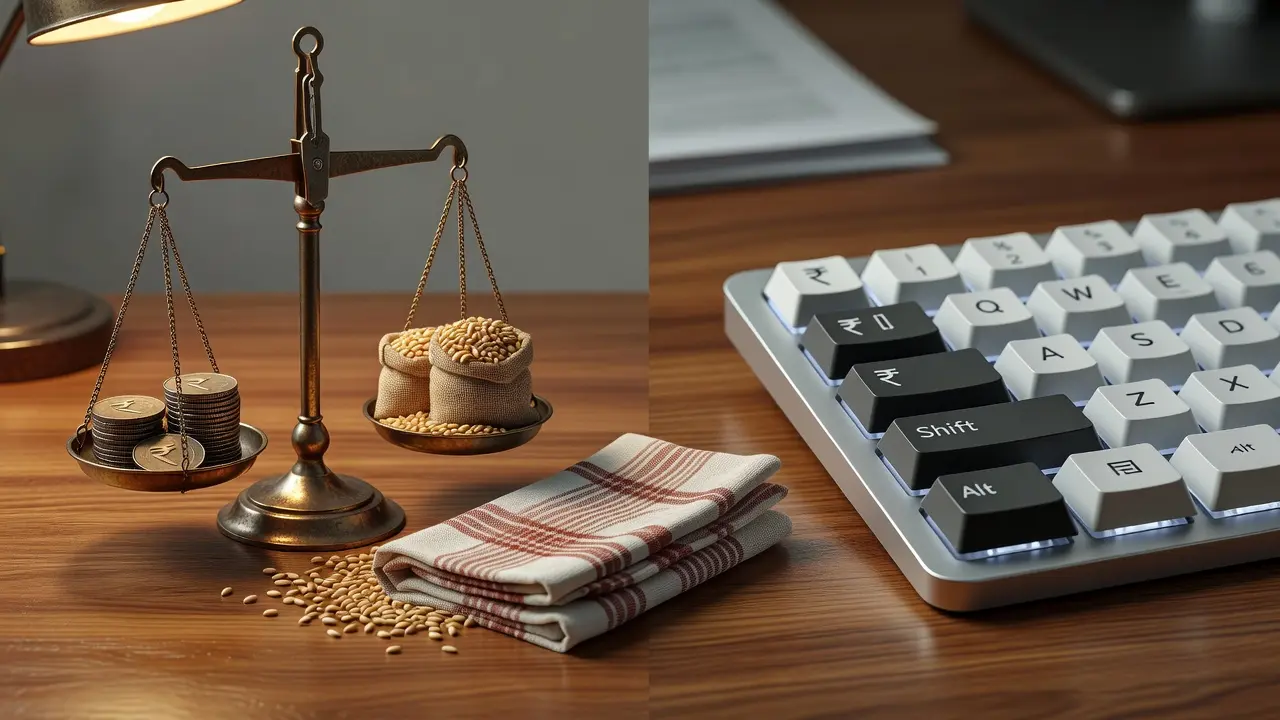
The INR symbol ₹ looks like a capital R without its vertical stem, topped by two horizontal lines. The shape blends र, the first letter of "rupaya" in Devanagari script, with the Roman R. The two lines are often described as a reference to India's tricolour flag and to the equals sign, suggesting balance.
The symbol is specific to India. Pakistan, Sri Lanka, Nepal, Mauritius and Seychelles also call their currencies rupees but do not use ₹; they write Rs or a local-script abbreviation. Signs for other currencies are compared in our list of money symbols.
Where the indian rupee sign comes from
The indian rupee sign was chosen through a public design competition run by India's Ministry of Finance in 2009. Five designs were shortlisted, and the Union Cabinet approved D. Udaya Kumar's entry on 15 July 2010. Kumar was then a doctoral student at IIT Bombay's Industrial Design Centre and soon after joined the Indian Institute of Technology Guwahati to teach design.
Before 2010, India wrote Rs or Re (for one rupee), or used the code INR. The Unicode Consortium added ₹ at code point U+20B9 in Unicode 6.0, released in October 2010, and Indian keyboard layouts and fonts added it over the following years. Coins with the symbol entered circulation in 2011.
How to type the rupee symbol on Windows, Mac, iPhone and Android
The quickest way depends on your device. On Windows with the English (India) keyboard, press Ctrl+Alt+4 or AltGr+4. In Word on any keyboard, type 20B9 then Alt+X. On phones, add an English (India) keyboard and ₹ appears on the number and symbol layout.
| Device or format | How to type ₹ |
|---|---|
| Windows, English (India) keyboard | Ctrl+Alt+4 or AltGr+4 |
| Microsoft Word, any keyboard | Type 20B9, then press Alt+X |
| Mac | Ctrl+Cmd+Space, search "rupee", click ₹ |
| iPhone and iPad | Add English (India) keyboard; tap 123, then ₹ |
| Android (Gboard) | Add English (India) layout; tap ?123, then ₹ |
| HTML | ₹ or ₹ |
| Unicode | U+20B9 |
In Excel, select the cells, open Format Cells, choose Currency and pick ₹ English (India) as the symbol; the sheet then shows ₹ before every amount without typing it. If ₹ shows as an empty box, the font does not include it; switch to a recent font such as Arial, Calibri or Noto Sans. Step-by-step methods for every common symbol are in How to Type Currency Symbols on Windows, Mac and Phone.
Where to put the symbol: before or after the amount
In India the rupee symbol goes before the amount: ₹500, ₹1,250 or ₹ 1,250 with a space. Large amounts use the Indian grouping system, with commas after the thousands and then every two digits: ₹1,00,000 for one lakh and ₹1,00,00,000 for one crore. International documents often use the standard grouping instead: ₹100,000.
A worked example with an assumed rate: at 88 rupees per US dollar, US$1,000 is ₹88,000, and ₹1,00,000 (one lakh) is about US$1,136. Check today's rate for 1 dollars in rupees or the indian rupee exchange rate against other currencies before converting real amounts.
Other symbols follow different rules. The Vietnamese dong sign usually goes after the number, as in 50.000₫; see Vietnamese Dong Symbol ₫ and VND Code Explained.
Rupee symbol vs ISO code: when to use which
Use ₹ in Indian prices, receipts and everyday writing for readers who know the currency. Use INR in banking, invoices to foreign clients, contracts and anywhere several currencies appear, because the code cannot be confused with other rupees. Rs is informal and ambiguous outside India.
- ₹: prices in India, menus, apps and websites aimed at Indian users.
- INR: SWIFT payments, foreign exchange quotes, accounting, travel bookings.
- Rs: older documents and informal use; avoid it where Pakistani or Sri Lankan rupees could also appear.
The ISO 4217 code INR has the numeric code 356. Every currency's code is in our world currencies list, and any amount can be converted with the currency converter.