What the korean won symbol looks like and what it means
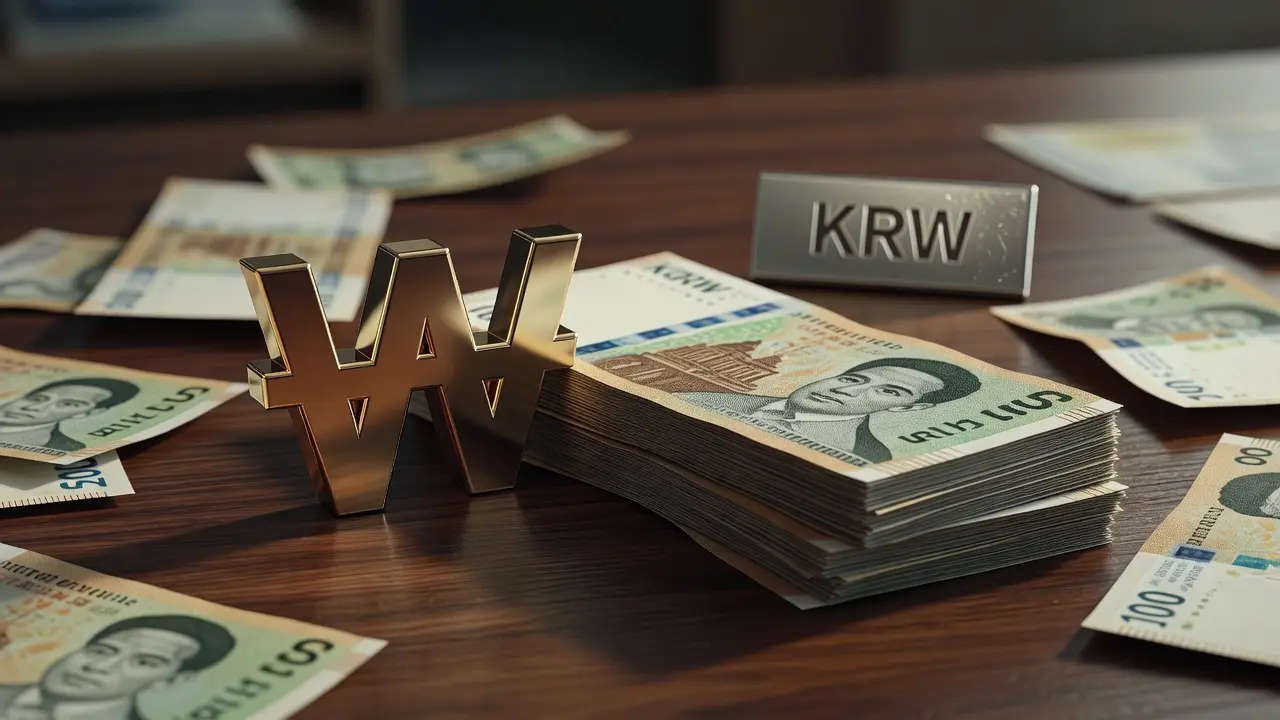
The korean won symbol is a Latin capital W with two horizontal strokes across its middle: ₩. Some fonts draw only one stroke, and both forms mean the same currency. The W stands for won, and the strokes follow the pattern of other currency signs such as $, € and ¥, which mark a letter as money.
The krw symbol is shared by two currencies. South Korea's won (KRW) is the one you will see in almost every case. North Korea's won (KPW) uses the same ₩, but it is not traded freely, so outside North Korea the sign nearly always refers to South Korean money. For other currency signs, see our list of money symbols.
Korean text also has a full-width form, ₩ (U+FFE6), used in some Korean fonts and older systems so the sign matches the width of Hangul characters. On websites and in documents written in English, use the standard ₩.
Where the won symbol comes from
The word won comes from the same Chinese character as the yuan and the yen: 圓, meaning "round", a reference to round coins. Korea, China and Japan each took the character into their own language, so the three currency names share one root. Our page on the chinese yuan symbol explains how ¥ came to cover both the yen and the yuan.
Korea first used the won in 1902. The current South Korean won dates from 1962, when it replaced the hwan at 10 hwan to 1 won. The won is officially divided into 100 jeon, but jeon have not been used in daily payments for decades, so prices are always whole won.
How to type ₩ on Windows, Mac, iPhone and Android
To type ₩, use the Unicode shortcut on Windows (type 20A9 then press Alt+X in Word), the Character Viewer on a Mac (Control+Command+Space, then search "won"), or hold the $ key on a phone keyboard. You can also copy it from here: ₩.
| Device or format | How to type ₩ |
|---|---|
| Windows (Word, WordPad) | Type 20A9, then press Alt+X |
| Windows (any app) | Press Windows key + period, open Symbols, find ₩ |
| Windows, Korean keyboard | The backslash key shows ₩ in Korean fonts |
| Mac | Control+Command+Space, search "won" |
| iPhone and Android | Hold the $ key on the number keyboard; or switch to a Korean keyboard |
| HTML | ₩ or ₩ |
| Unicode | U+20A9 (full-width form U+FFE6) |
The Korean keyboard detail confuses many people: on Korean versions of Windows, the backslash character (\) is displayed as ₩ in Korean system fonts, so file paths look like C:₩Users. It is the same character underneath, which is why copying such text into an English font turns ₩ back into \.
Where to put the won symbol: before or after the amount
In English text and in international price lists, put ₩ before the number with no space: ₩50,000. In Korean text, write the number followed by 원: 50,000원. Do not use both together, so avoid ₩50,000원.
- English menu or website: ₩12,000
- Korean shop sign or receipt: 12,000원
- Large amounts in Korean: 5만 원 means 50,000 won, using 만 for 10,000
- Bank or invoice: KRW 12,000
Won amounts have no decimals in practice. A price of ₩1,500 is never written ₩1,500.00 in daily use. Korean prices often use the unit 만 (10,000), so 100만 원 is one million won. For a quick sense of what large sums are worth, see 1 million won to usd.
Symbol vs ISO code: when to use KRW instead
Use ₩ when the reader already knows the context is Korea, such as a Korean menu, a travel blog or a shop price. Use KRW in bank transfers, invoices, accounting and any document that mixes currencies, because the three-letter code cannot be confused with another currency.
The same rule applies to other signs. The dollar symbol covers more than 20 currencies, so codes like USD and AUD are clearer in finance. KRW is also what you will see in exchange tables and on the south korean won exchange rate page.
A worked example with an assumed rate: if 1 USD = 1,400 KRW, a ₩14,000 lunch is about $10. When converting between won and a third currency, such as won to dong, the rate is often worked out through the dollar, which is called a cross rate. You can check won to usd and won to vnd directly.
Korean money at a glance: notes and coins
Korean money comes in four banknotes and four coins in common use. Each note shows a figure from Korean history.
- ₩1,000: Yi Hwang, a 16th-century Confucian scholar
- ₩5,000: Yi I, another Joseon-era scholar
- ₩10,000: King Sejong the Great, who created the Hangul alphabet
- ₩50,000: Shin Saimdang, artist and mother of Yi I, issued since 2009
- Coins: ₩10, ₩50, ₩100 and ₩500
For colours, security features and prices of everyday items, read our South Korean Won Guide: Notes, Coins and What Things Cost. Every currency's code is in the world currencies list, and you can convert any amount with the currency converter.